Excel COUNTA Function: Examples Included
COUNTA in Excel: counting non-empty cells with simple syntax and practical examples and also use COUNTA to tally non-blank cells quickly and accurately.
The COUNTA function in excel counts the number of non-empty cells in a range, including cells with numbers, text, logical values, errors or formula.
It only counts non-empty cells. A cell is considered to be one if it contains a number, text, formula, logical TRUE/FALSE, or even an error.
Blank or fully empty cells are not included in the count.
COUNTA counts a formula that returns "" because it is considered non-empty.
Example :
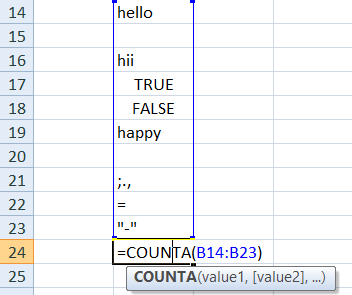
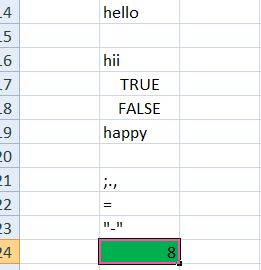
Simple range count:
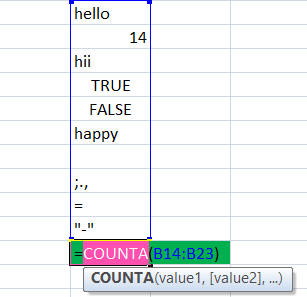
Above image is the example of single range count and the blank cell is ignored, the rest are counted.
Multiple ranges:
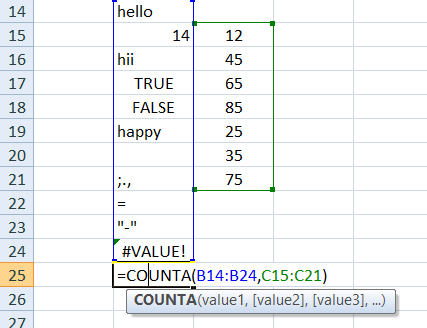
Counts all non-empty cells across both ranges.
Including formulas:
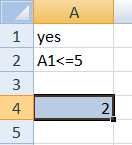
Assume B1 has =IF(A1>5, "Yes", "") and shows "" since A1≤5. Since the cell contains a formula, COUNTA(B1) returns 1.
Syntax for COUNTA function:
The COUNTA function has the following syntax:
COUNTA(value1, [value2],...)
- value1 (required): The first item, cell, or range to evaluate.
- value2, … (optional): Additional items, cells, or ranges to evaluate.
The first item, cell reference, or range that you wish to count numbers within is copy value1.
Additional items, cell references, or ranges that you wish to count numbers within can be identified by value2,...
Value 1 and value 2 both use for Counting Numbers in Non-Adjacent Ranges
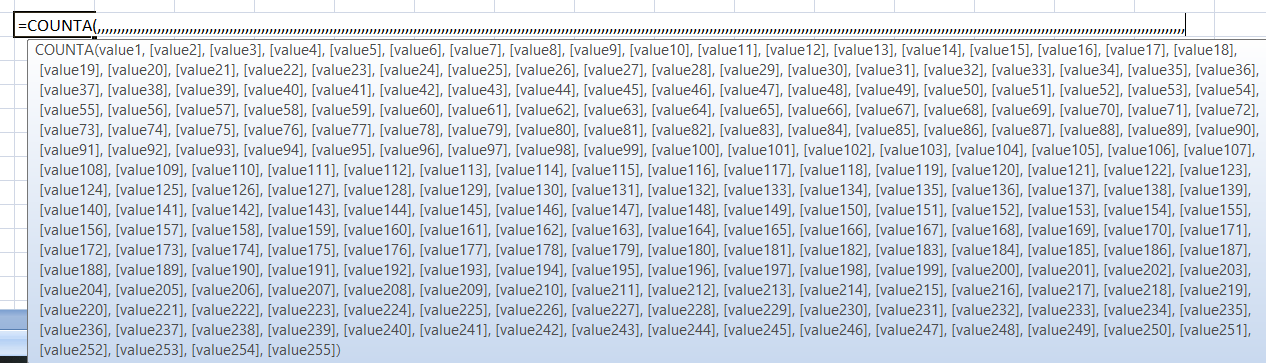
You can include up to 255 arguments in Excel.
Difference between COUNT and COUNTA
| COUNT | COUNTA |
| The COUNT function counts the number of cells with an amount inside a range of values. | The COUNTA function counts the number of non-empty cells inside a given range. |
| Date and a numeric function are counted by the COUNT function only. | The COUNTA function may count text, formulas, dates, numbers, errors, and more. |
The COUNT function can precisely count both times and dates due to Excel's serial number data saving. | A cell's contents can be counted using the COUNTA function. The COUNTA function may count the number of values in a cell that isn't blank. |
| Syntax: =COUNT(Value 1, [Value 2],…) | Syntax: =COUNTA(Value 1, [Value 2],…) |
See the link below for the count function as well.
https://www.olivaa.net/blog/function-2/count-in-excel-step-by-step-with-real-examples-100