Guide to Workbook vs Worksheet Differences
What’s the difference between a workbook and a worksheet? Simple, concise explanations for beginners.
However, it's crucial to make sure that your Excel files are named and organized so that everyone can understand them and that there is no need for long explanation.
Therefore, we must first determine the differences between workbooks and worksheets.
The first step in using Excel is to create a new workbook. It is the initial step we take before entering, organizing, or computing data in an Excel spreadsheet.
A worksheet is made up of rows, columns, and cells where we enter and process data in Excel it is also called as spreadsheet, whereas a workbook is made up of worksheets and tools for Excel work.
To put it another way, a worksheet is a part of a workbook.
Workbook:
A file made in Microsoft Excel that includes one or more worksheets is called an Excel Workbook.
An Excel workbook's primary function is to manage and arrange linked data and calculations & Numerous file formats can be used to store an Excel workbook file.
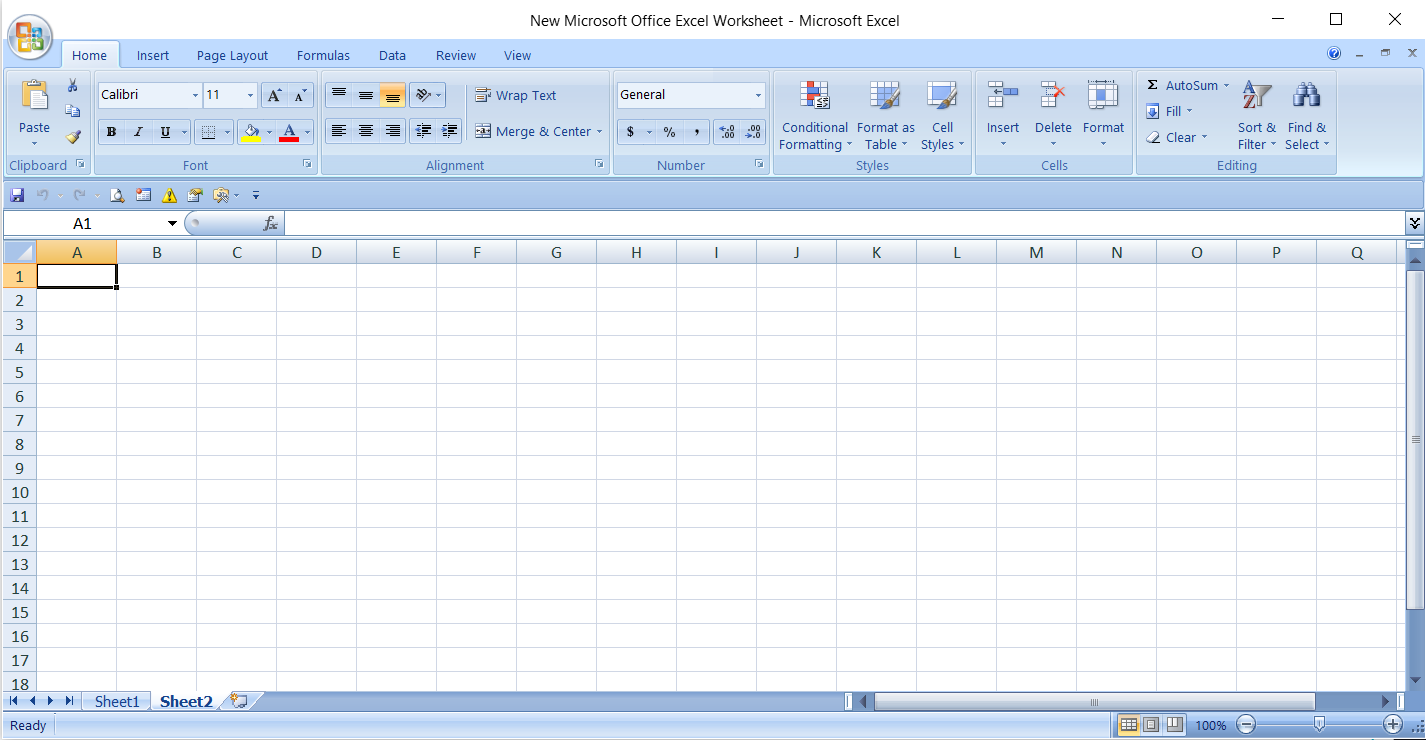
From the image above, we can infer that it is a complete workbook with all of the sheets and other features that we covered below.
Worksheet:
One or more spreadsheets, or worksheets, are contained in an Excel file, also known as a workbook. Every box in the worksheet area is called a cell. A cell address, that includes a row and a column , is assigned to each cell.
The column is represented by the letters across the top of the worksheet. The row is represented by the numbers on the left side of the worksheet. For instance, the top, leftmost cell's address is A1. This is due to the cell's location at the point where row 1 and column A connect. One blank worksheet opens in a new workbook. Within a workbook, worksheets can be added, removed, and renamed as necessary.
Open Excel and open a new Blank workbook.
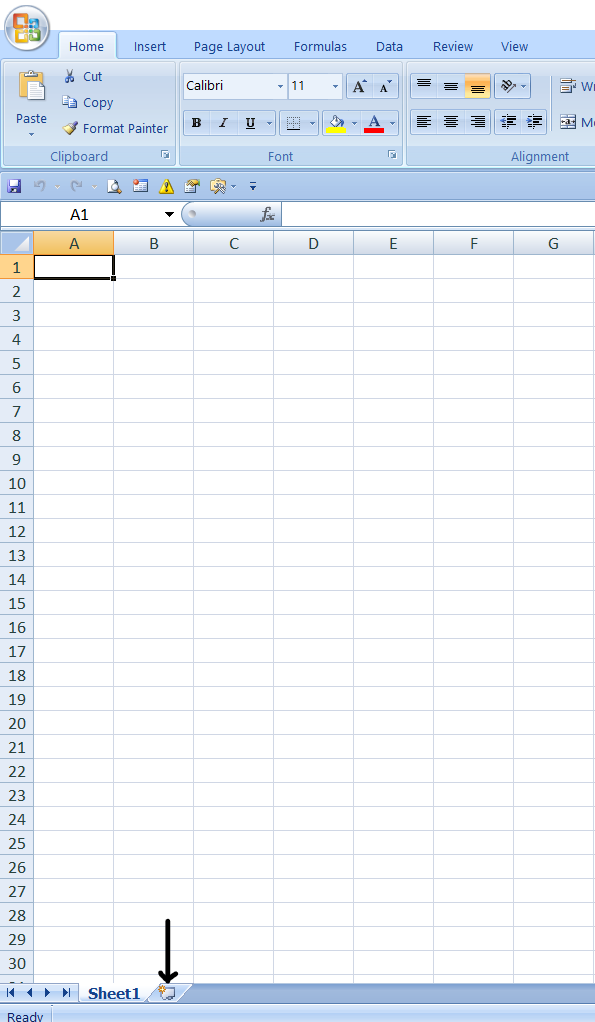
As you can see in above image The workbook opens with one worksheet called Sheet1. This worksheet contains cells you can use to start entering and editing data.
To add a new worksheet, click the icon that shows through the arrow in the image above.
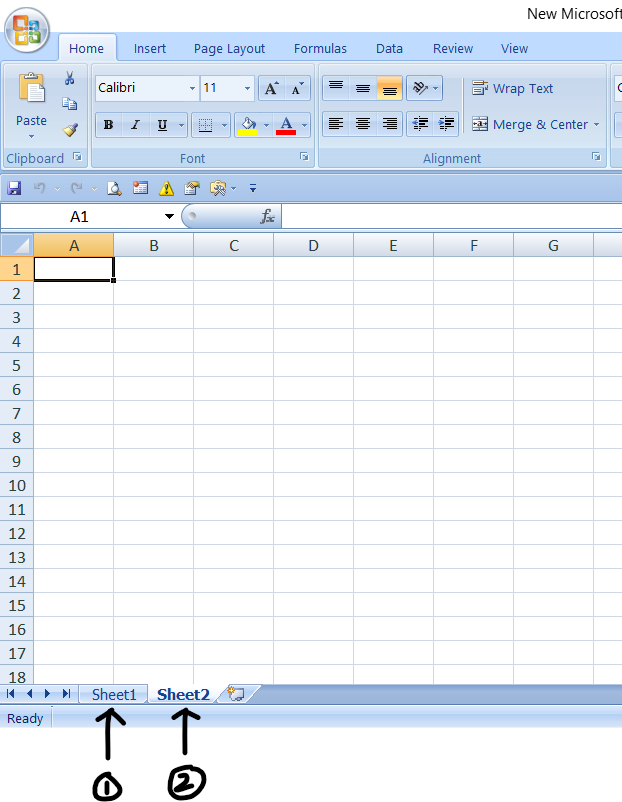
Sheet2 is the new worksheet that has been added. Excel assigns the default name Sheet XX, where XX is the subsequent following number, to each worksheet you add.
You can also click the link below for information on further features.
https://olivaa.odoo.com/blog/ribbon-5/copy-cut-paste-essential-tools-for-efficiency-74
https://olivaa.odoo.com/blog/ribbon-5/how-to-insert-delete-format-rows-and-columns-in-excel-92